Welcome!
By registering with us, you'll be able to discuss, share and private message with other members of our community.
SignUp Now!You are using an out of date browser. It may not display this or other websites correctly.
You should upgrade or use an alternative browser.
You should upgrade or use an alternative browser.
START does seem to load TCC (V36)
- Thread starter cgunhouse
- Start date


- Jan
- 1,189
- 25
It IS released already ...

- Dec
- 265
- 4
This is what I was doing in V35

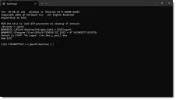
When I reboot this is run, and I get the following for V35:

Works. When I load V36 and change directory from Task action (pointed to by the arrow) from "C:\Program Files\JPSoft\TCMD35\tcc.exe" to "C:\Program Files\JPSoft\TCMD36\tcc.exe" and reboot I get:

I get an access denied on TCC.EXE.
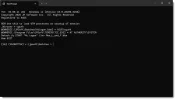
When I reboot this is run, and I get the following for V35:
Works. When I load V36 and change directory from Task action (pointed to by the arrow) from "C:\Program Files\JPSoft\TCMD35\tcc.exe" to "C:\Program Files\JPSoft\TCMD36\tcc.exe" and reboot I get:
I get an access denied on TCC.EXE.
Attachments
- Dec
- 265
- 4
AtLogon.btm contains:
REM Use this to load BTM processes at startup of session
@Echo off
cdd c:\jpsoft\batches
echo %@UNQUOTE["_Winuser = "] %_winuser
echo %@UNQUOTE["@OWNER[C:\JPSoft\Batches\AtLogon.btm] = "] %@OWNER[C:\JPSoft\Batches\AtLogon.btm]
echo %@UNQUOTE["@OWNER[C:\Program Files\JPSoft\TCMD35\TCC.EXE] = "] %@OWNER[C:\Program Files\JPSoft\TCMD35\TCC.EXE]
Echo on
Detach /q START "At Logon" /inv Mon_L_and_F.btm
Rem EXIT
REM Use this to load BTM processes at startup of session
@Echo off
cdd c:\jpsoft\batches
echo %@UNQUOTE["_Winuser = "] %_winuser
echo %@UNQUOTE["@OWNER[C:\JPSoft\Batches\AtLogon.btm] = "] %@OWNER[C:\JPSoft\Batches\AtLogon.btm]
echo %@UNQUOTE["@OWNER[C:\Program Files\JPSoft\TCMD35\TCC.EXE] = "] %@OWNER[C:\Program Files\JPSoft\TCMD35\TCC.EXE]
Echo on
Detach /q START "At Logon" /inv Mon_L_and_F.btm
Rem EXIT