TCMD Overview

Contents
TAKE COMMAND 32
Welcome to our help! We have designed this help file to accompany our products Take Command and TCC.
Take Command combines the best features of the GUI and character-mode interfaces. You can have multiple console applications open in tabbed windows, with a Windows Explorer-like interface available for those times when you need a visual look at your folders and files.
Take Command is composed of three elements which work closely together:
Take Command Environment - A rich development and operations environment that allows you to:
•Run multiple console and GUI applications simultaneously in tabbed windows, including our own Take Command Console (TCC), CMD, PowerShell and bash. Take Command will display output much faster (up to 10x) than running the application in a standard Windows console window.
•Cut and paste text
•Drag and drop files into tab windows from an Explorer-like environment, other applications, or the desktop
•Create and edit command scripts with a full featured editor, including syntax highlighting
•Debug batch scripts with a sophisticated debugger, including single-stepping and conditional breakpoints
Take Command Console (TCC) - A command processor compatible with CMD (the default command processor in Windows 10 / 11 / 2016 / 2019 / 2022) but substantially enhanced with thousands of additional features. TCC provides the ability to:
•Interactively run commands, such as DIR, COPY, etc.
•Interactively run batch script files, such as .CMD, .BAT or .BTM scripts
•Run batch scripts as background processes based on timed schedules or operational triggers, such as changes in the system environment
Take Command Language - A mature scripting language based on and compatible with CMD, but massively enhanced. It includes:
•265+ internal commands
•390+ functions
•320+ variables
•Hundreds of additional options for CMD compatible commands
•Additional underlying capabilities, such as the ability to access FTP and HTTP sites as if they were local disk drives
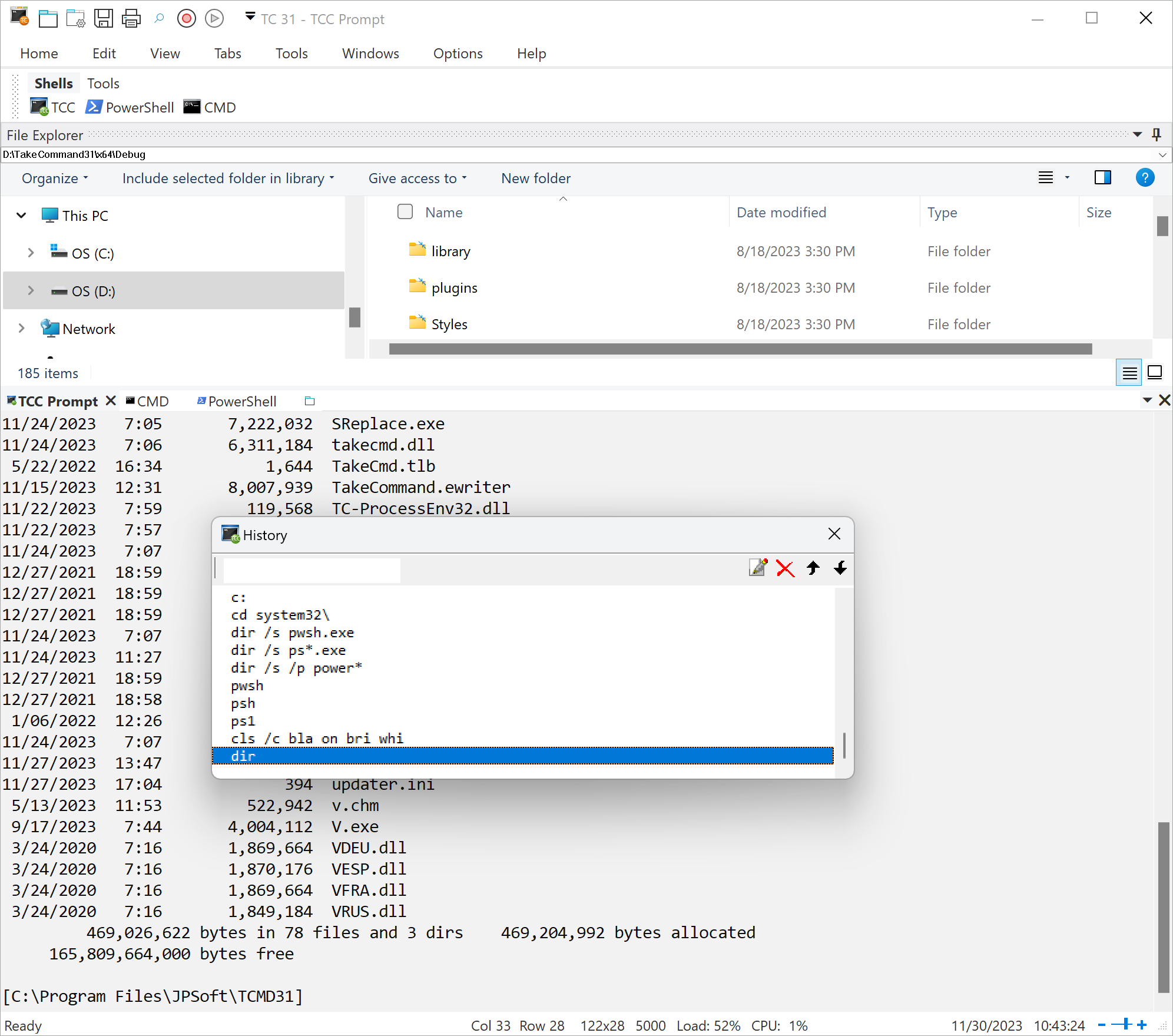
The following image shows how the pieces fit together. The overall environment surrounds a set of consoles, each with its own tabbed window. Each console can run commands in the Take Command language (or other languages, such as PowerShell or bash, in additional tab windows).
Take Command is designed for Windows 10 and 11, Server 2016, Sever 2019, and Server 2022. (Prior versions are available on request if you need 32-bit or Windows 7 support.)
JP Software Inc. |