Welcome!

By registering with us, you'll be able to discuss, share and private message with other members of our community.

SignUp Now!

cls /c doesn't work

Aug
39
0
I an on TCC 36.00.29.

From TCC, executing "CLS /C" will clear the buffer. However, from TCMD, it will not. Can you help me sort this out?
 
It works OK here.

Code:
d:\tc29> which cls
cls is an internal command

d:\tc29> ver
TCC 29.00.17 x64 (d:\tc29\tcc.exe)
Microsoft Windows 11 Pro for Workstations
10.0.26200.8246 (25H2)
TCMD version 29.0.17
 
Let's see if this will help narrow down the issue.

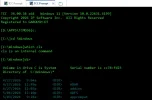
1) I started a new CMD tab in TCMD. Here is exactly what I did in it:


2) Next, I executed CLS /C and that gives me this:

1777320631192.webp


3) But, when I scroll up, I see this:

1777320698587.webp


In summary, it is clearing the screen and placing the prompt at the top, but the screen buffer is not getting cleared.

Btw, I just upgraded to latest version, but still see the same issue.

My experience of doing the same with TCMD 22, this worked, but it would take a while, over 20 seconds.
 

Attachments

  • 1777320850219.webp
    1777320850219.webp
    31.1 KB · Views: 23
That doesn't make sense. If that was a new tab, where did that previous output come from? Did you leave something out?
 
Please look again. In step #1, where the screenshot is attached vs being in-line, you will see the steps I took in the new tab, which are:

TCC 36.00.38 x64 Windows 11 [Version 10.0.22631.6199]
Copyright 2026 JP Software Inc. All Rights Reserved
Registered to GAROUSH-DT

[D:\APPS\TCMD36]c:

[C:\]cd \Windows

[C:\Windows]which cls
cls is an internal command

[C:\Windows]dir

Volume in drive C is System Serial number is cc78:fd23
Directory of C:\Windows\*

4/27/2026 9:04a <DIR> .
4/17/2026 12:49p <DIR> ADAM
6/27/2024 12:07p <DIR> addins
5/06/2024 12:10p <DIR> ADFS
5/03/2024 9:28a <DIR> appcompat
4/17/2026 12:49p <DIR> apppatch
 
OK, I missed that, thanks. Try this. Does it work as you expect CLS /C to work?

Code:
echos ^e[2J^e[3J^e[H
 
I think you meant to say "echo" and not "echos"? Anyway, I tried both, I got an output of the echo only:

[C:\Windows]echos ^e[2J^e[3J^e[H
←[2J←[3J←[H
[C:\Windows]echo ^e[2J^e[3J^e[H
←[2J←[3J←[H
 
I can replicate this, with ConPTY tabs and ANSI disabled. George: I suggest you enable ANSI: OPTION / "Windows" tab / turn on the "ANSI colors" tick box.

Rex: Perhaps ANSI should be automatically enables in ConPTY tabs, regardless of the .INI setting?
 
That didn't do it (see screenshot of what I did). But I noticed that when I bring back the dialog box, "ConPTY" is re-set back to unchecked. Thus, it is not sticky. Is there an INI file that I can edit to make this setting sticky?


1777326431297.webp
 
I can reproduce it too but only in non-ConPty tabs.

Charles, do you know how that works? What exactly is happening. Isn't ANSI still ON in TCMD?
 
George, I mean the TCC configuration dialog — the one you get when you type option and press Enter at the command line.
 
I can reproduce it too but only in non-ConPty tabs.

Charles, do you know how that works? What exactly is happening. Isn't ANSI still ON in TCMD?

I'm sure it is, but TCC doesn't have to use it. Maybe it should.
 
I don't think you're giving up anything. You're just adding functionality to TCC.
 
Back
Top