Welcome!

By registering with us, you'll be able to discuss, share and private message with other members of our community.

SignUp Now!

Executing an executable command in TAB1, TAB2, ... does not work

Dec
38
0
Note: I have already seen that issue occurring many TCMD versions back.

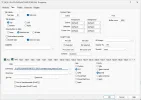
1] Thus the executable command in the first TAB works.

2] But that same command in the second TAB or higher TAB does nothing.


1794858329171.webp

1794858382928.webp

1794858913745.webp

1794859104663.webp
 

Attachments

  • 1794856939519.webp
    1794856939519.webp
    49 KB · Views: 3
So the command in the first TAB worked (see previous screenshot).

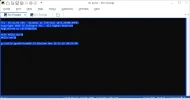
But the SAME command in the second TAB does not execute it.

Tested in clean / stock 36.52.89 with no TCMD.INI present and no plugins.

1794859226219.webp
 

Attachments

  • 1794859175257.webp
    1794859175257.webp
    22.2 KB · Views: 2
Same result if calling it via TCC.exe, in the first TAB that works,
copying/pasting the same command in TAB 2 or higher TABS
does nothing. Only in TAB1 it works thus.
1794859468952.webp
 
First, you need to specify an .EXE in the command field. If you're trying to run a batch file, use TCC (or CMD) with the /K option.

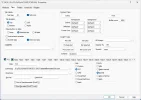
Second, you're trying to run the same batch file simultaneously in multiple tabs, which is going to cause sharing errors. See the Settings / Tabs / Starup Tab Wait option in the Take Command configuration.
 
It seems it is working now in version 36.52.89.
After changing the tabs TakeCommand has to be restarted.
The issue seems resolved.
 

Attachments

  • 1794886873474.webp
    1794886873474.webp
    50.7 KB · Views: 1
Good to know that restarting Take Command after editing the startup tab configuration and using the Startup Tab Wait setting resolves the race condition when multiple tabs launch at once.
 
Back
Top