If you are not familiar with the purpose or use of the Plugin Manager configuration dialog, review the main configuration dialogs topic before continuing.
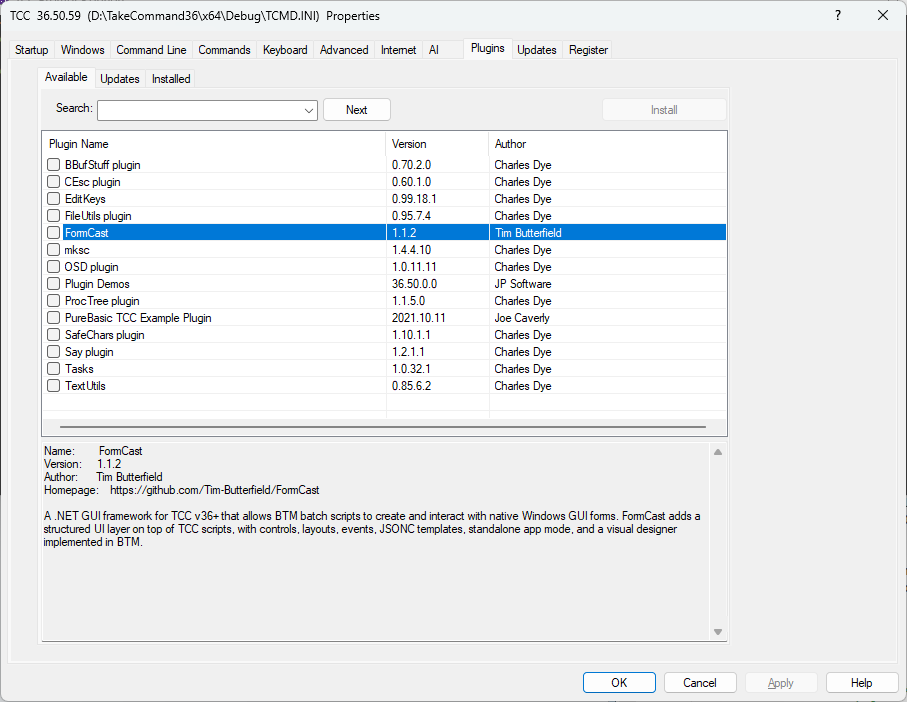
The Plugin Manager connects you to a repository of third-party TCC plugins. You can browse the available plugins, and install / update / remove them.
JP Software maintains the repository list on https://jpsoft.com. The download links for the plugins themselves can be on any server.
If you are a plugin developer and would like your plugin(s) to be available through the Plugin Manager, contact us at [email protected] with your plugin details.
The Plugin Manager in TCC only handles TCC plugins. The BDEBUGGER / IDE and TCEdit Plugin Manager handles Notepad++ plugins, which are supported by TCEdit and BDEBUGGER / IDE. (Except for a handful of Notepad++ plugins which access Notepad++ internal code.)
